
Verify this download
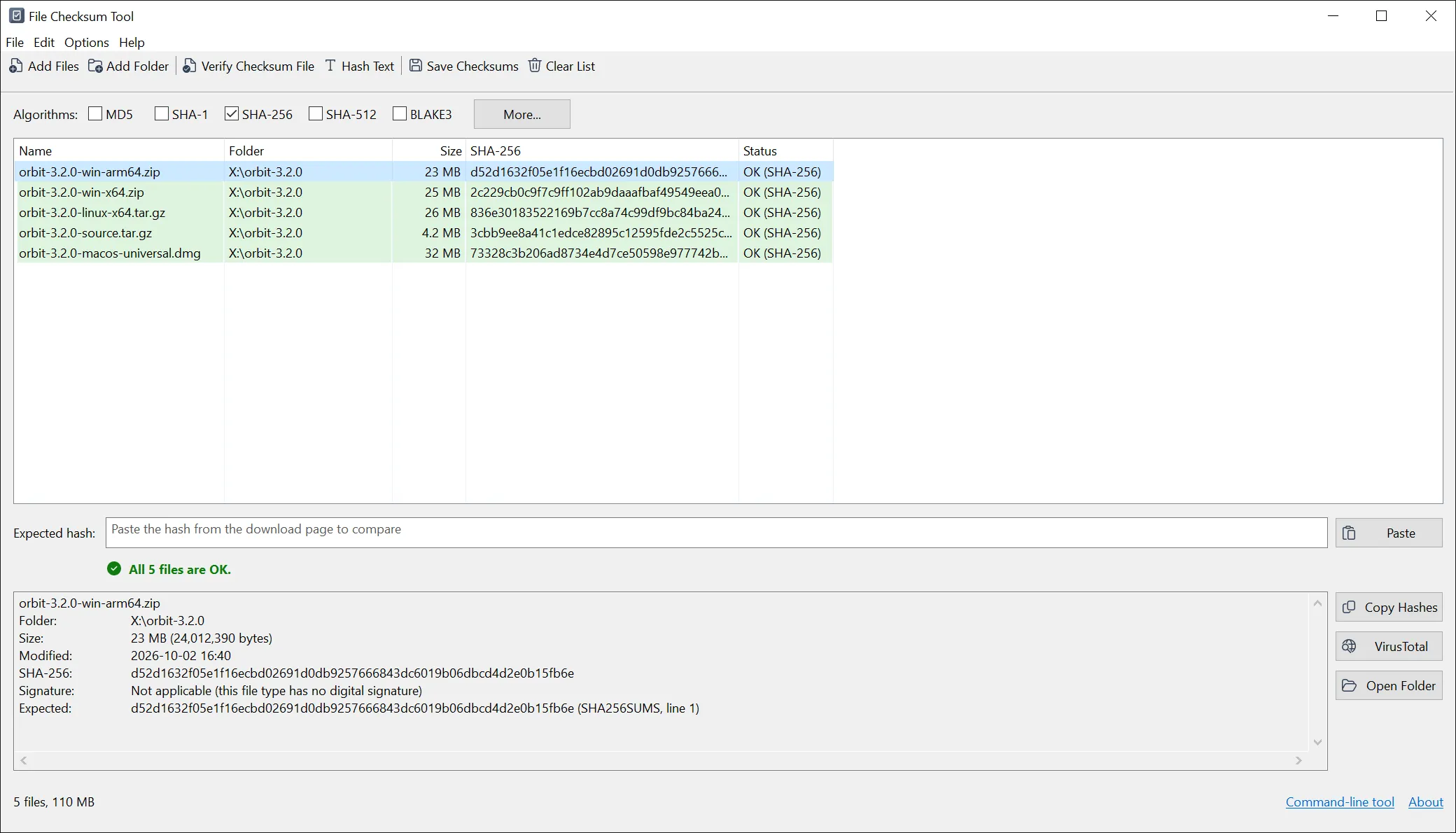
Every file is code-signed. You can also confirm it byte-for-byte against its SHA-256 - with File Checksum Tool itself, or any checksum tool:
hashtool.exe       3b6949790d2bd55f77224a1683b0c386440f0f9c3548b41e50b17421922fc295
hashtoolsetup.exe  97f986bb036493eb98e3bf0121d89020f07dcbc5b1bff2b3f0a10a894f89997d
hashtool.zip       bbadd470e125bb5e3ef9955823511293f35e92dd4f49f5a67b20335a44b50dc1
How checksum verification works
A checksum, or hash, is a short fingerprint calculated from a file's contents. Change a single byte and the hash changes completely, so comparing a file's hash with the value published by its source is a quick, reliable way to confirm the file arrived intact. File Checksum Tool makes that a one-step check: paste the published hash, pick your file, and read a plain Match or No match.
Which algorithm should I use?
For confirming authenticity, prefer SHA-256 - it is what most projects publish today. MD5 and SHA-1 still reliably catch accidental corruption from a bad download or a failing disk, but they are not safe against deliberate tampering, so don't rely on them when a file's authenticity matters. BLAKE3 and xxHash are useful when you want speed over very large files.
Portable or installed?
- Setup installs for the current user without administrator rights, and adds a Start menu entry, the Explorer "Calculate checksums" menu and an uninstaller. Its program folder is itself a portable copy, and it includes every build.
- Portable, single file is one 32-bit program for a quick one-off - nothing to install. This is the file download portals have always linked.
- Portable, all builds (ZIP) has the 32-bit, 64-bit and ARM64 programs and the command-line tool together, with README and LICENSE.
On Windows 7
Install Microsoft update KB4474419 (SHA-2 code-signing support) so Windows reads the digital signature as valid. The program runs on Windows 7 SP1 through Windows 11.
Command line (fchash)
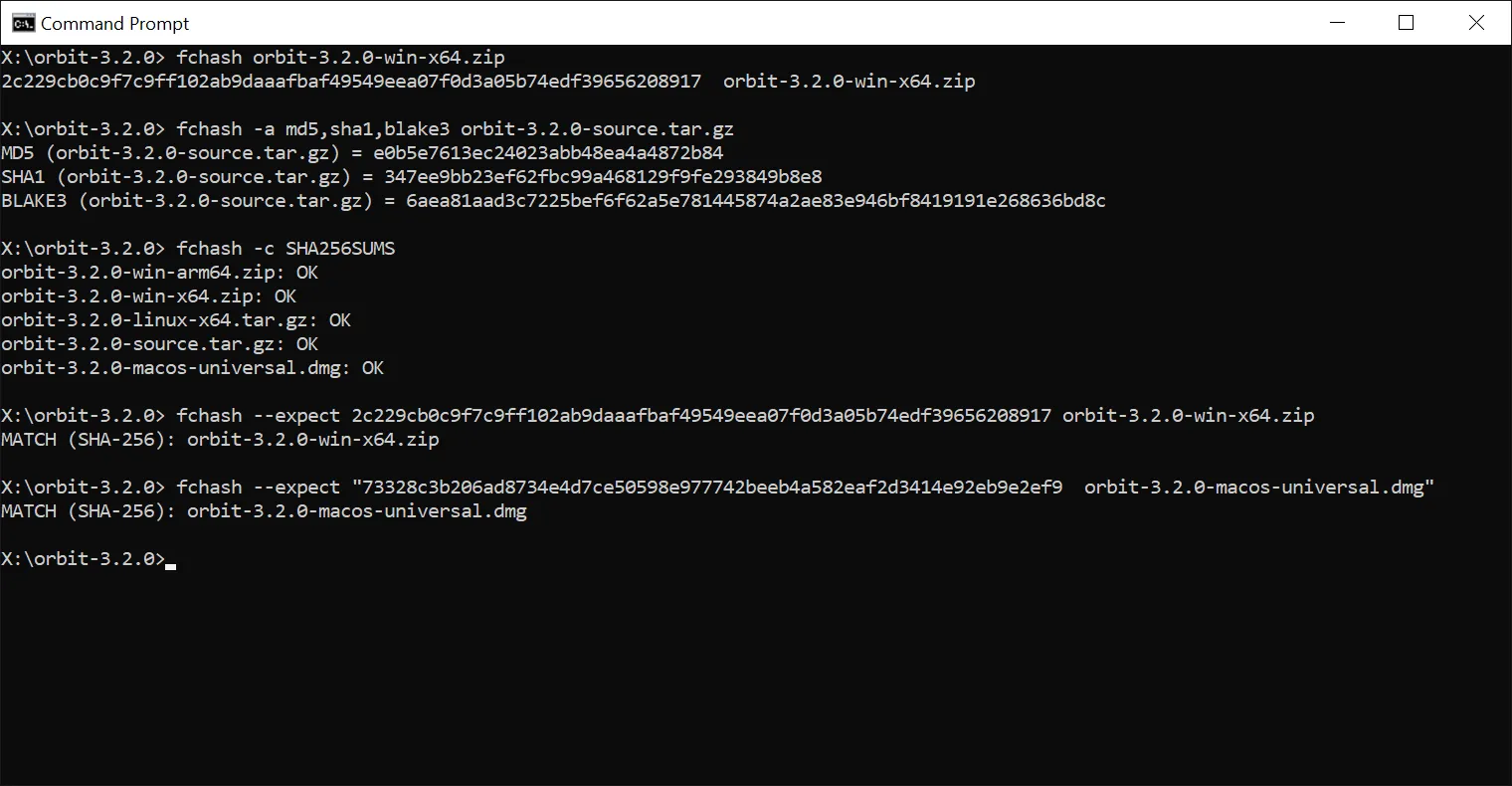
Prefer the console, or scripting a build? The fchash command-line tool ships inside both the setup and the ZIP
- 32-bit, 64-bit and ARM64 - so there is no separate download. Compute hashes for files, folders and globs; verify
a checksum file with
-c; compare against a published hash with--expect; hash a string with--text; choose the output format (sha256sum, BSD, SFV, CSV, JSON); and read clear exit codes in scripts.
Frequently asked
Is it free?
Yes. File Checksum Tool is free, with no time limit and no account.
Portable or setup - which should I get?
Either. The setup installs for you without administrator rights, and its program folder is itself a portable copy; the single hashtool.exe is the quickest one-off; the ZIP has every build. All of them include the command-line tool.
What's the difference between the 32-bit and 64-bit builds?
hashtool.exe is 32-bit and runs on every Windows from 7 to 11. The 64-bit build is faster with SHA-512, BLAKE3 and xxHash. The setup and the ZIP include both, plus ARM64.
The signature shows as invalid on Windows 7.
Install Microsoft update KB4474419 (SHA-2 code-signing support); then Windows reads the signature correctly. The program itself runs on Windows 7 SP1 and later.
Do MD5 or SHA-1 prove a file is safe?
They reliably detect accidental corruption from a bad download or a failing disk, but they are not safe against deliberate tampering. Prefer SHA-256 when a file's authenticity matters.